| Decision factor | Speakmac | Paraspeech |
|---|---|---|
| Price | $29 one-time for 1 Mac, or $39 for 2 Macs after the free tier | $8.99/month, $89.99/year, or lifetime license (one- and three-device tiers; price shown at checkout) |
| Free path | Free tier before the paid unlock | 14-day free trial, then paid plan |
| Offline support | Core workflow after the one-time model download | Core workflow after first model download; lifetime plan is local-only |
| Hardware fit | Mac app built for local dictation | macOS 14+; Apple Silicon and Intel supported, fastest on Apple Silicon |
| Privacy signal | Local Mac dictation and optional privacy controls | Local-first positioning from a German company; audio and text not silently uploaded |
| Workflow tools | Hotkeys, hands-free mode, live preview, dictation commands, custom words, snippets, regex cleanup, optional local history/privacy mode | Hold/toggle shortcut, auto-send, history, privacy mode, word replacements, local or optional cloud AI rewriting |
| Best for | Lower-cost daily Mac dictation with one-time ownership | Users who value premium EU privacy positioning and a more configurable rewriting layer |
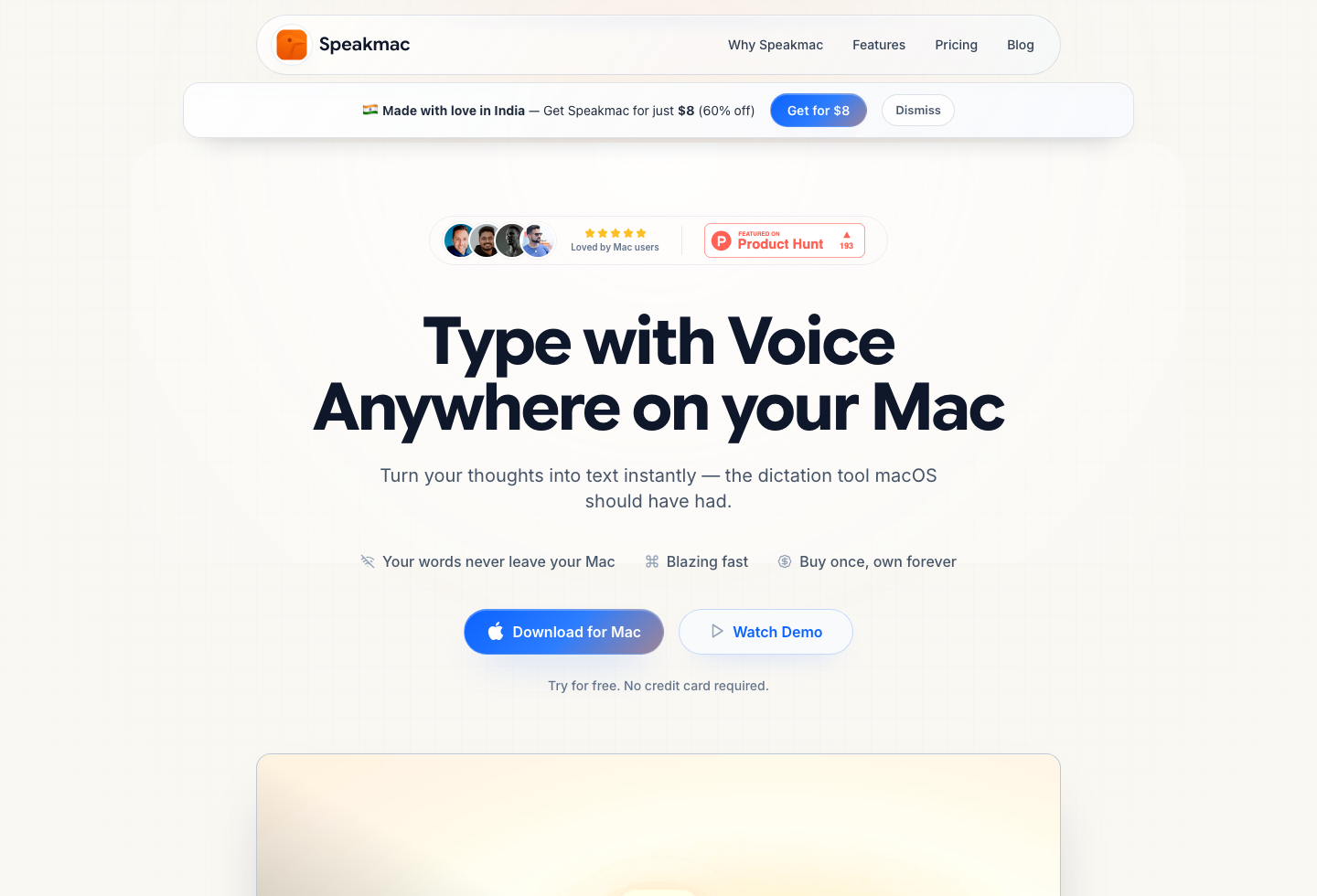
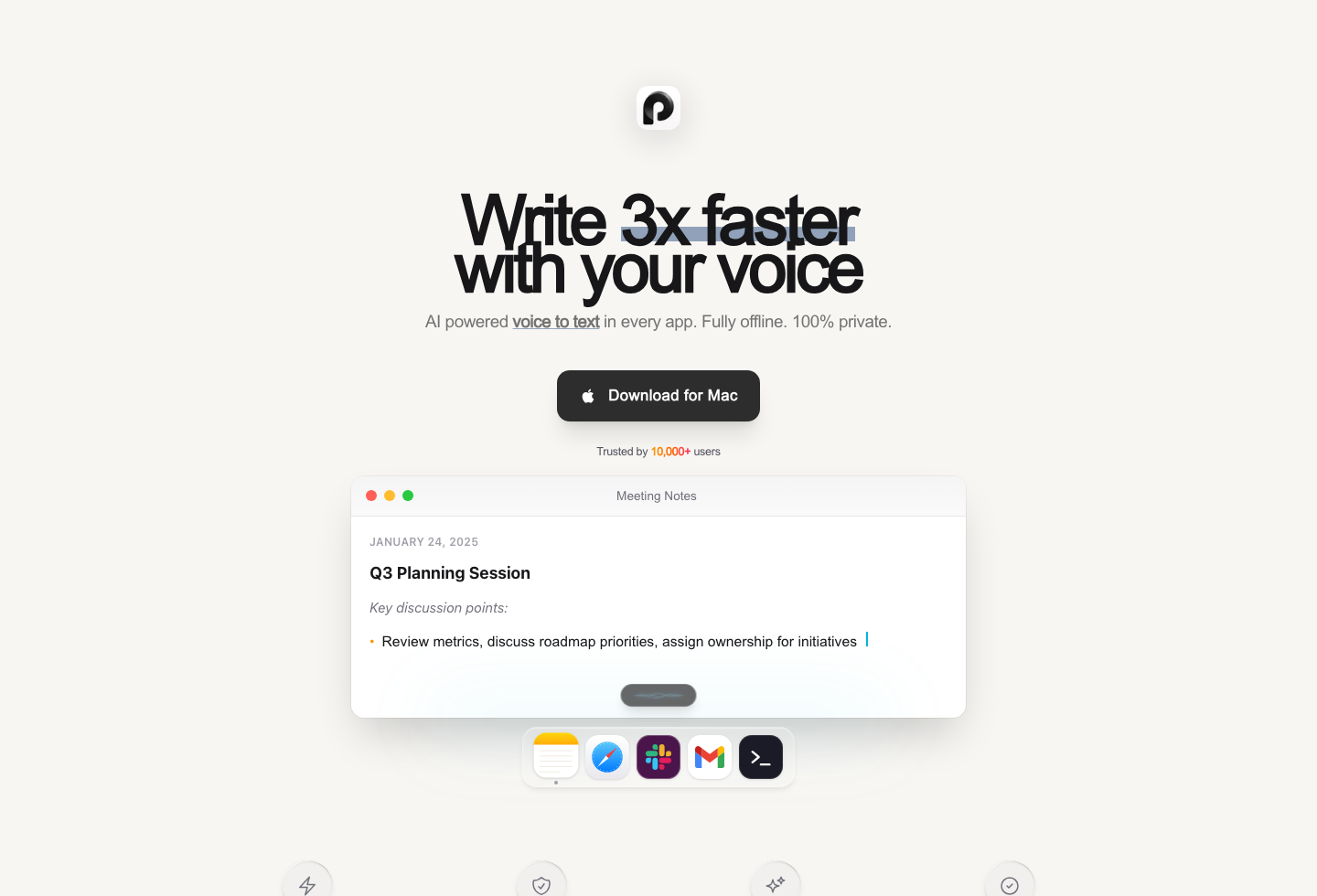
Researching Paraspeech? Good instinct — it is not another generic cloud dictation app. It is a private, local-first speech-to-text app for Mac from a German company, and it speaks to the same privacy-sensitive Mac buyer who might otherwise choose a simpler local tool. This page is the independent comparison: what Paraspeech costs in 2026, where it genuinely leads, and when the cheaper one-time alternative is the smarter buy.
The difference is not whether offline Mac dictation matters. Both products agree that it does. The real decision is price shape (subscription or lifetime vs $29 once), workflow style, and whether Paraspeech's premium privacy positioning matters more than Speakmac's lower one-time purchase path.
Last checked: June 11, 2026
Paraspeech Pricing in 2026
Speakmac is the simpler purchase: start free, then pay once if it fits.
Paraspeech prices like a premium offline dictation product (per its public pricing page, June 11, 2026):
- Monthly: $8.99/month with a 14-day free trial
- Yearly: $89.99/year (about $7.50/month billed annually)
- Lifetime: one-device and three-device tiers, local-only features; the exact price is shown at checkout
- Student, research, and nonprofit discount: 40% off
That makes Paraspeech meaningfully more expensive than Speakmac for a single-Mac daily dictation buyer. But it is still relevant because it is not competing mainly as a cheap tool. It is competing as a private, local, polished Mac dictation app with a premium product surface.
| Cost window | Speakmac | Paraspeech |
|---|---|---|
| 1 year | $29 once for 1 Mac or $39 for 2 Macs after the free tier | $89.99 on annual billing or $107.88 monthly |
| 3 years | $29 total | $269.97 on annual billing or $323.64 monthly; lifetime price shown at checkout |
Why Paraspeech Matters
Paraspeech matters because its positioning is unusually close to the strongest Speakmac wedge:
- private speech to text
- offline Mac dictation
- system-wide insertion
- Apple Silicon optimization
- lightweight menu-bar workflow
- paid ownership path
- explicit European/German legal footprint
That makes it more strategically important than a low-volume GSC read alone suggests. A user who likes Paraspeech's privacy language may also be a high-fit Speakmac user, especially if they want a cheaper one-time price and a simpler workflow.
Privacy and EU Positioning
Paraspeech's German/EU footprint is a real trust signal for some buyers. Its legal and privacy pages identify a German company with German legal registration details, and its current marketing leads with local-first promises: local transcription and rewriting stay on the Mac, and audio and text are not silently uploaded.
That does not automatically make it better for every Mac user. It means Paraspeech may resonate strongly with users who search for:
- private dictation software
- offline speech to text Mac
- EU privacy voice typing
- local dictation for professional work
- Mac dictation app that does not upload audio by default
Speakmac should not ignore that positioning. The better response is to be clearer about what Speakmac actually does locally, when the model is downloaded, how local history/privacy works, and why a low-cost one-time Mac app is still compelling against a premium Germany-based alternative.
Feature Focus
Paraspeech is strong when you want a more configuration-forward dictation layer. It documents shortcut behavior, auto-send, transcription history, privacy mode, word replacements, and AI rewriting templates that can run locally or optionally through cloud models on eligible accounts.
Speakmac is no longer accurate to describe as only a bare dictation hotkey. It includes custom words, snippet-style replacements, regex cleanup rules, live preview, flexible hotkeys, hands-free dictation, dictation commands, and privacy controls around local history.
The honest split is this: Paraspeech sells a more premium privacy-first workflow with Germany/EU trust signals. Speakmac sells the lower-cost ownership path for people who want local daily Mac dictation without turning the tool into a bigger setup project.
Hardware and Setup
Paraspeech currently lists macOS 14 or later, with both Apple Silicon and Intel Macs supported and the fastest performance on Apple Silicon. It uses a one-time local model download and then runs dictation locally, with optional cloud backends only when explicitly selected.
Speakmac is also a direct-download Mac app. You install it, grant microphone and accessibility permissions, let it download the on-device model once, and then dictation can run locally on the Mac.
For both products, the permissions are normal for a system-wide dictation tool: microphone access for audio and accessibility access to trigger/paste text into other apps.
Which Should You Choose?
Choose Paraspeech if:
- a German company and EU privacy posture matter to your trust decision
- you want a more premium offline dictation product
- you want local or optional cloud AI rewriting templates
- you are comfortable with $8.99/month, $89.99/year, or lifetime-tier pricing
Choose Speakmac if:
- you want the lower-cost one-time ownership path
- you want local Mac dictation after the free tier
- you care more about daily writing speed than a premium privacy brand
- you want hotkeys, preview, snippets, custom words, cleanup rules, and commands without a heavier product surface
Final Recommendation
Paraspeech should be taken seriously. It is one of the closer alternatives to Speakmac because it competes on offline Mac dictation, privacy, and ownership rather than pure cloud subscription features.
| Choose... | If your priority is... | Tradeoff |
|---|---|---|
| Paraspeech | Premium offline Mac dictation with Germany/EU privacy positioning, Apple Silicon focus, and optional rewriting templates | Higher price and a more premium product shape |
| Speakmac | Lower-cost local Mac dictation, one-time ownership, and a direct daily writing workflow | Less Germany/EU brand signaling and a simpler product surface |
| Neither yet | You only dictate occasionally or only need file transcription | Try Apple Dictation for occasional use, or MacWhisper for recordings |
The practical split is simple: Paraspeech has the stronger EU/privacy brand signal; Speakmac has the clearer low-cost local workflow.
FAQ
Is Paraspeech offline?
Yes. Paraspeech is positioned as private, offline speech to text for Mac. Its docs say local processing is available after the one-time model download, with cloud backends used only when explicitly selected on eligible accounts.
How much does Paraspeech cost?
As of June 2026, Paraspeech lists $8.99/month or $89.99/year (about $7.50/month billed annually), both with a 14-day free trial. Lifetime licenses come in one-device and three-device tiers with the price shown at checkout. Students, researchers, and nonprofits get 40% off.
Is Paraspeech made in the EU?
Yes — Paraspeech's legal and privacy pages identify a German company with German registration details, and the product is positioned as local-first with European privacy sensibilities.
Is Speakmac cheaper than Paraspeech?
Yes. For a Mac user, Speakmac has a lower one-time ownership path at $29 for 1 Mac or $39 for 2 Macs after the free tier.
Which is better for privacy?
Both are privacy-relevant choices because both focus on local/offline Mac dictation. Paraspeech has a stronger Germany/EU trust signal. Speakmac has the simpler low-cost local Mac workflow.
Reviews
What people say after switching
I'm not a native English speaker but I use English a lot for work. The accuracy genuinely surprised me. Even when I mumble, restart sentences, or talk fast, it keeps up really well. It's lightweight, thoughtfully built, and works great in German as well, even with Anglicisms.

Philip Langenbrink
CEO/Co-Founder @ studiis
As a former designer of iOS apps, I can tell you: it looks really great.

Ken Yarmosh
Author, App Savvy (O'Reilly)
It's improved a lot! I tried it with background noise using AirPods, and it captures text correctly. Even when playing a cricket commentator video, it captured the audio perfectly.

Varun BR
Staff Engineer
You can tell this was crafted with care - the animations, the simplicity, and the way it fits into macOS like it's always been there. Planned to use it daily.
L
Lilou Lane
Product Hunt user
I tried both Siri and SpeakMac. I spoke very fast with low volume.Siri couldn't understand, but SpeakMac did. That was my 'wow' moment.

Manish
Developer

The accuracy is way better than I expected, and I love how seamlessly it integrates with Mac. I've been looking for something like this that doesn't feel clunky.

Eworitse
Community Member
I didn't expect to use SpeakMac this much, but it's become my go-to for writing content ideas, captions, and quick drafts. It picks up my voice perfectly, even when I'm talking fast. It feels effortless - like my Mac finally understands how I work.
Portia
Marketing Lead
Dude i am lovin it. My productivity is really increased. Even a few times while speaking, if i mumble and re speak partial sentence, it understands that very well adjusts on its own.

Shubham
Engineering Manager
I'm not a native English speaker but I use English a lot for work. The accuracy genuinely surprised me. Even when I mumble, restart sentences, or talk fast, it keeps up really well. It's lightweight, thoughtfully built, and works great in German as well, even with Anglicisms.
Philip Langenbrink
CEO/Co-Founder @ studiis
As a former designer of iOS apps, I can tell you: it looks really great.
Ken Yarmosh
Author, App Savvy (O'Reilly)
It's improved a lot! I tried it with background noise using AirPods, and it captures text correctly. Even when playing a cricket commentator video, it captured the audio perfectly.
Varun BR
Staff Engineer
You can tell this was crafted with care - the animations, the simplicity, and the way it fits into macOS like it's always been there. Planned to use it daily.
L
Lilou Lane
Product Hunt user
I tried both Siri and SpeakMac. I spoke very fast with low volume.Siri couldn't understand, but SpeakMac did. That was my 'wow' moment.
Manish
Developer
The accuracy is way better than I expected, and I love how seamlessly it integrates with Mac. I've been looking for something like this that doesn't feel clunky.
Eworitse
Community Member
I didn't expect to use SpeakMac this much, but it's become my go-to for writing content ideas, captions, and quick drafts. It picks up my voice perfectly, even when I'm talking fast. It feels effortless - like my Mac finally understands how I work.
Portia
Marketing Lead
Try the workflow
See if Speakmac fits your Mac before paying.
Download the app, dictate in the places you already write, and only unlock if the local workflow actually works for you.