
| What matters | Speakmac | Wispr Flow |
|---|---|---|
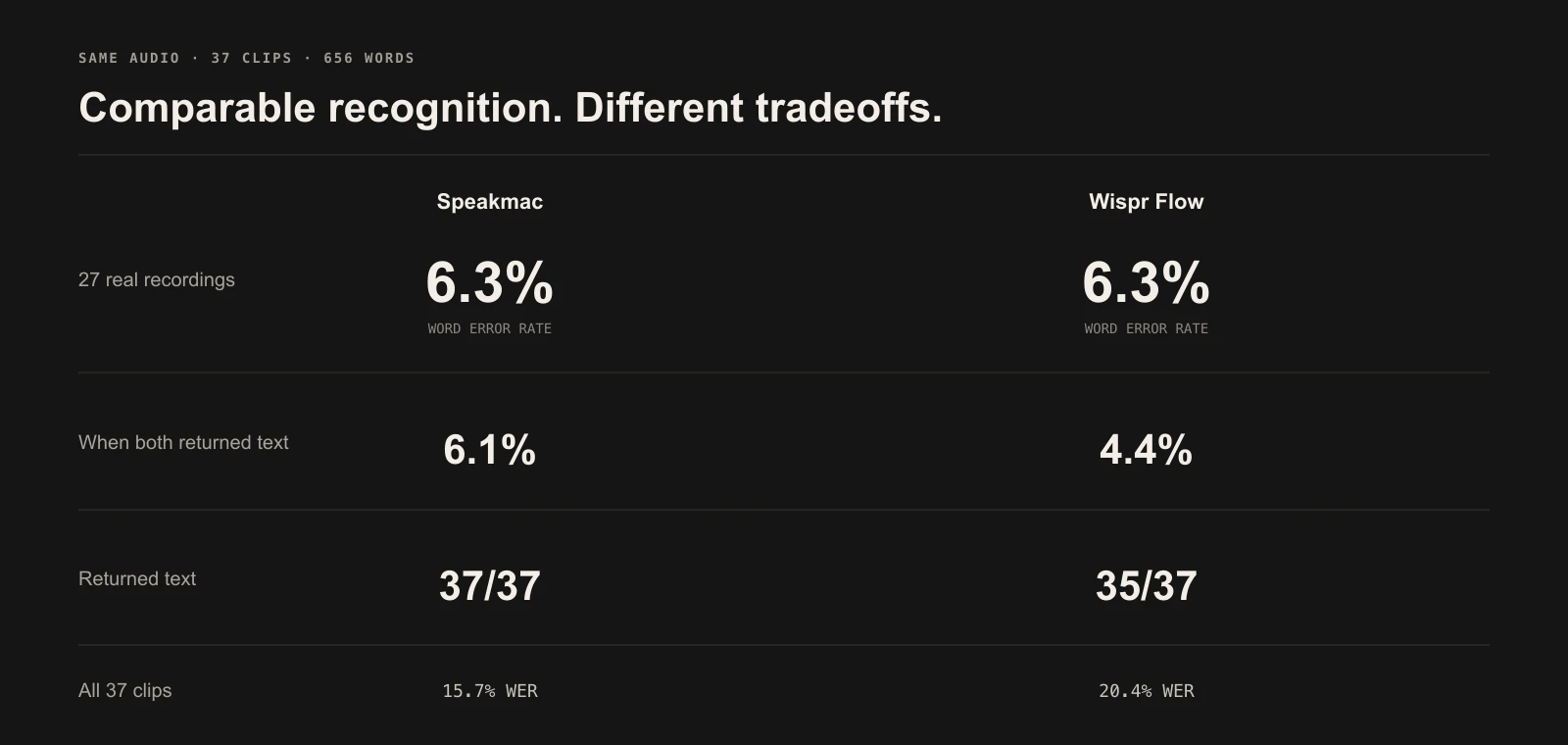
| Real speech in this test | 6.3% WER; 37/37 total outputs | 6.3% WER; 35/37 total outputs |
| When both returned real speech | 6.1% WER | 4.4% WER |
| Text tendency | More literal; keeps corrections | More editorial; cleaner formatting |
| Processing tested | Local recognition and local cleanup | Cloud dictation |
| Individual price checked July 28, 2026 | $29 one-time for 1 Mac; ₹699 in India | $15/month or $12/month annually; ₹400/month or ₹320/month annually in India |
We played the same 37 audio files into Speakmac and Wispr Flow: 27 real human recordings, 10 controlled stress tests, 656 reference words, and 4 minutes 50 seconds of speech.
On the real recordings, both finished at 6.3% word error rate. That exact tie is arithmetic, not proof that the apps are identical. Wispr Flow was slightly more accurate on the 26 real clips where both returned text: 4.4% versus 6.1%. Speakmac returned text on all 37 tests; Wispr Flow returned text on 35.
The honest conclusion is narrower than “one app wins.” Speakmac showed comparable recognition quality to this paid cloud dictation app in this test. Wispr Flow had a small conditional edge on real speech and produced cleaner edited text. Speakmac was more reliable in this run and preserved more of what was spoken.
Both often returned the same sentence.
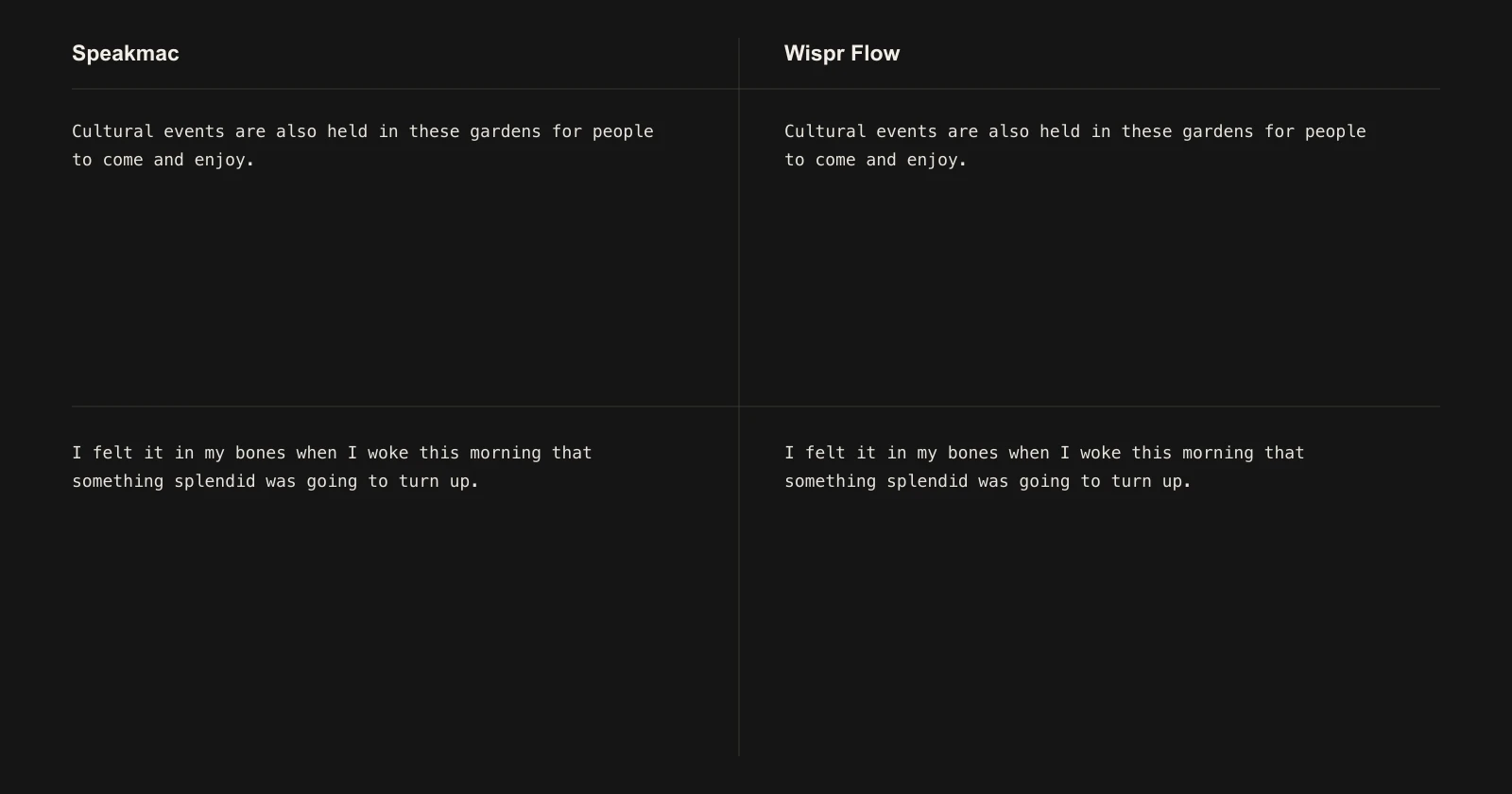
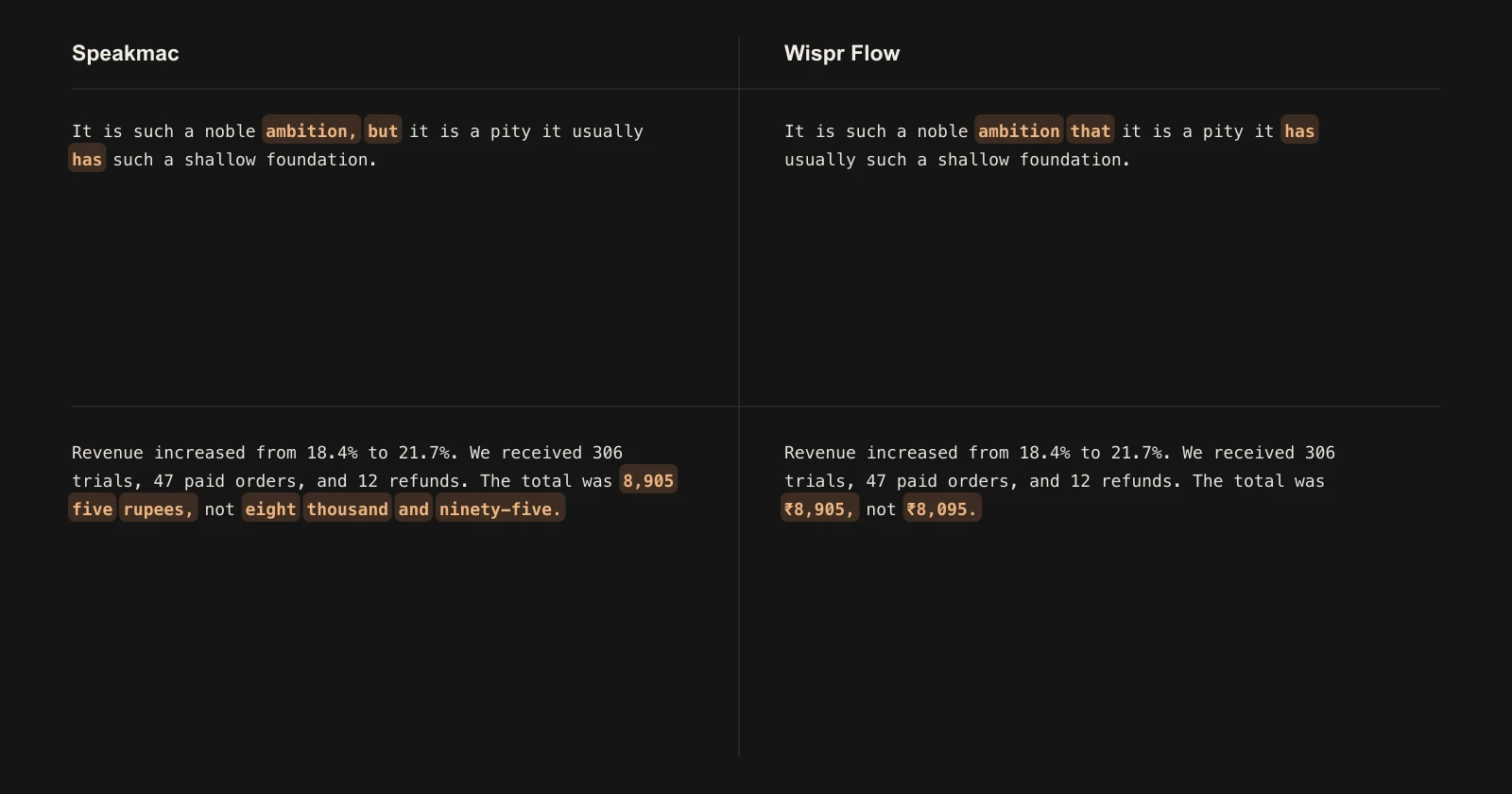
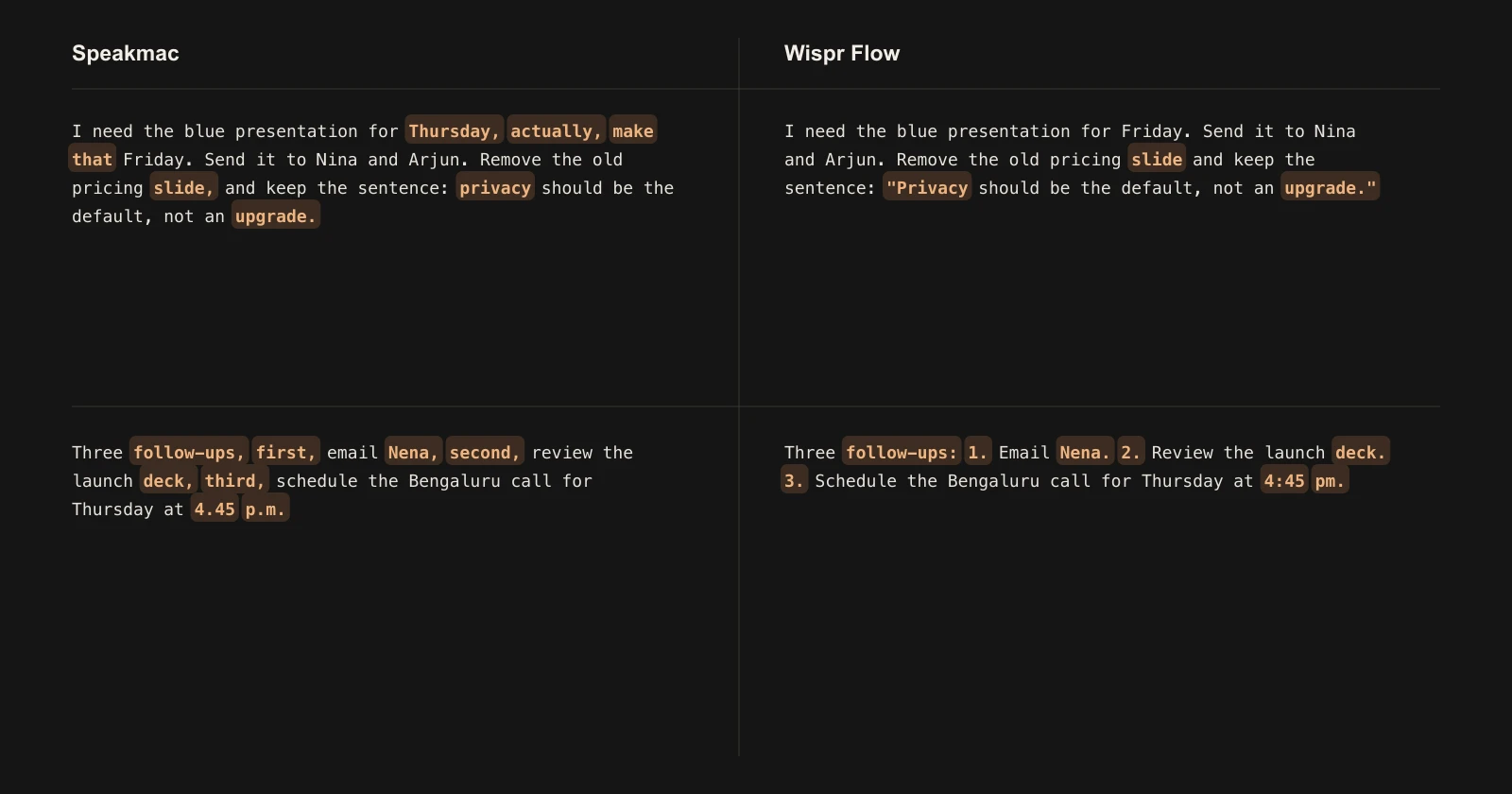
Wispr Flow was better when its editing helped. It preserved one real sentence that Speakmac rewrote, and it formatted money and percentages much more cleanly.
Speakmac was better on some difficult names, paths, and identifiers. Neither app was consistently safe for exact proper nouns or codes.
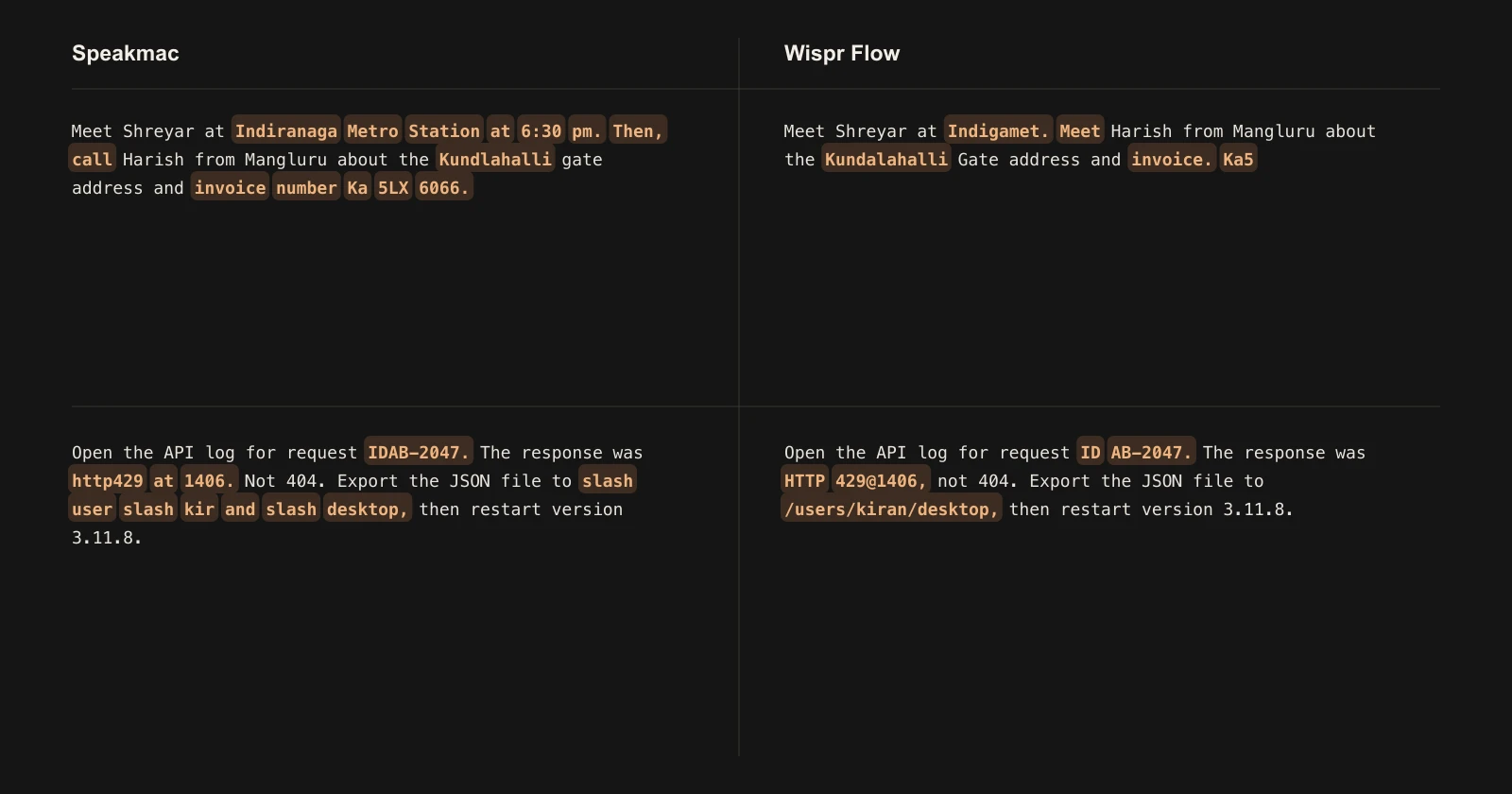
The two apps also make different editorial choices. Speakmac usually keeps the spoken correction trail. Wispr Flow may collapse it into the final intent or restructure speech into a list.
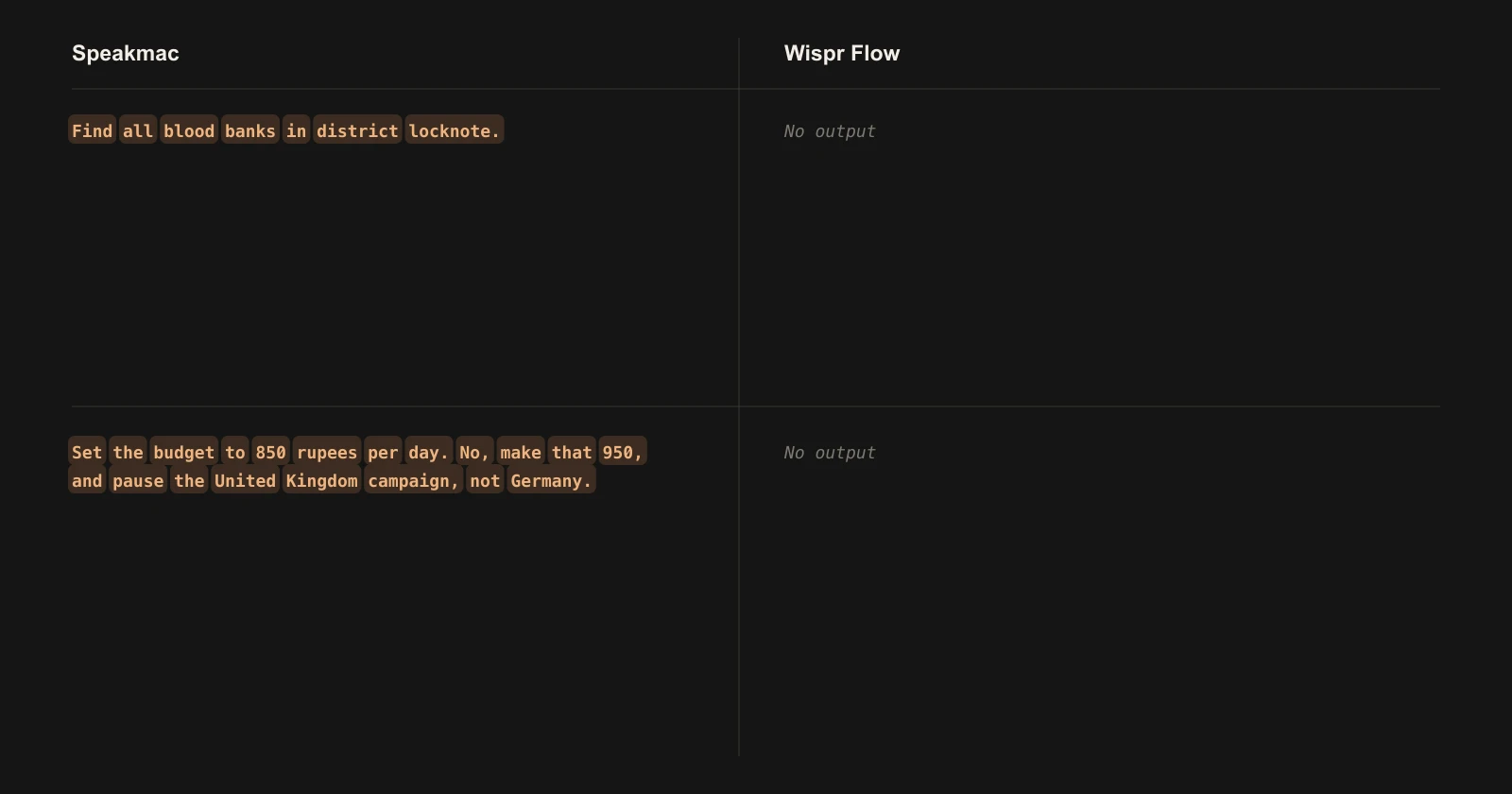
Wispr Flow produced no inserted text on two clean attempts. One was real Indian-English speech; the other was a controlled correction. We restarted Flow, confirmed the audio route, and retried before counting either as no output.
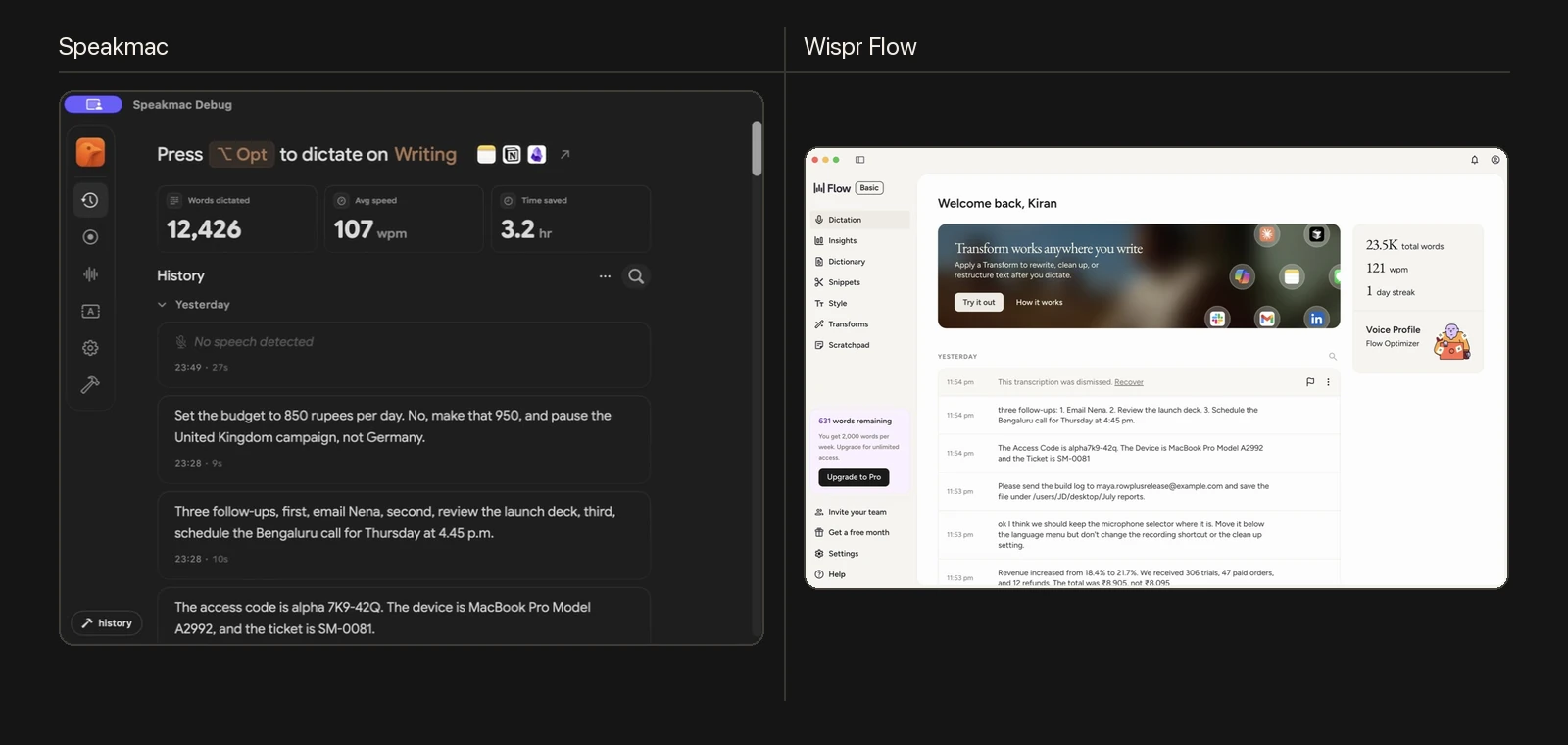
These are the native history screens from the extended run.
August 31 release regression: real-speech score held
We reran the 27 licensed real-human clips only through the installed Speakmac 5.5.0 build 61. The command used Parakeet, on-device Clean Up Dictation, and the CLI flags --stdout --clean --no-history.
Speakmac scored 6.3% WER again: 22 errors across 349 reference words, exactly matching its Speakmac 5.2.1 result on this subset. It returned text on 27 of 27 clips. Three per-clip scores changed: one added three errors while two removed three errors between them, leaving the aggregate unchanged.
This is a Speakmac release-regression result, not a fresh Wispr Flow comparison. We did not rerun Wispr Flow, and the unchanged aggregate does not mean every per-clip output was identical.
The original experiment also included 10 stress clips rendered with macOS System Voices. Apple's macOS license does not permit public or commercial publishing or redistribution of that voice output, so those WAVs and their new 5.5.0 results are not in the public pack. The historical 37-row text tables remain for audit context, but only the 27 CC BY real-human clips are publicly reproducible.
Open the reproducibility guide, verify the corpus manifest, review attribution and exclusions, inspect the pinned runner, or download the 5.5.0 regression summary.
How we actually tested
- The corpus used 18 Indian-English recordings from Svarah, 9 read-English recordings from LibriSpeech test-clean, and 10 controlled stress clips for names, numbers, corrections, paths, codes, and lists.
- Every source became a 16 kHz mono PCM WAV normalized to the same loudness. All 37 files had unique SHA-256 hashes.
- Speakmac 5.2.1 build 55 ran first with Parakeet and local Clean Up Dictation. Each WAV was imported directly.
- Wispr Flow 1.6.224 Basic ran second. The exact same WAVs were sent through BlackHole 2ch while Flow's Control shortcut was held.
- Only one dictation path was accepted at a time. We watched the apps' databases and Speakmac's recording-state file. One overlapping attempt was rejected and rerun.
- We preserved each app's raw and final text. The figures above use final text.
- WER lowercases text, removes punctuation, and counts substitutions, deletions, and insertions. A no-output result counts every reference word as a deletion.
The 6.3% real-speech tie is 22 literal word errors for each app across 349 words. The paired 95% bootstrap interval for Speakmac minus Wispr Flow was −4.93 to +3.75 percentage points, so this corpus does not establish a universal accuracy winner.
The controlled clips were intentionally harder and more sensitive to editing. Across all 37 clips, Speakmac scored 15.7% WER and Wispr Flow 20.4%. That overall gap is materially affected by Flow's two no-output results, so it should not be read as “Speakmac is always 4.7 points better.”
Download the historical 37-row per-clip CSV, paired transcripts and scores, or summary with confidence intervals. The public corpus manifest covers the 27 licensed real-human WAVs only.
Choose Wispr Flow when cloud convenience, cross-device use, and aggressive cleanup matter more. Choose Speakmac when local processing, a one-time purchase, literal dictation, and receiving an output every time in this test matter more.