Mac Dictation Not Typing Text: What to Check
By Kiran Jd
Published
By Kiran Jd
Published
Open Apple Notes or TextEdit, click into a blank note, and dictate one short sentence.
| Result | Meaning |
|---|---|
| Text appears in Notes/TextEdit | Dictation works. The original app or field is the issue. |
| Dictation window opens but no text appears anywhere | Check the microphone, Dictation setting, or speech language. |
| A separate dictation app hears you but no text appears | Check Accessibility permission. |
Do this before changing every setting. It tells you whether dictation is broken everywhere or only in one app.
Dictation can fail quietly if the cursor is not actually inside a place where you can type.
Check for:
Try clicking the field once, typing a few characters manually, deleting them, then dictating again.
Apple Dictation uses the system. Separate dictation apps usually need Accessibility permission before they can type into other apps.
Go to:
System Settings -> Privacy & Security -> Accessibility
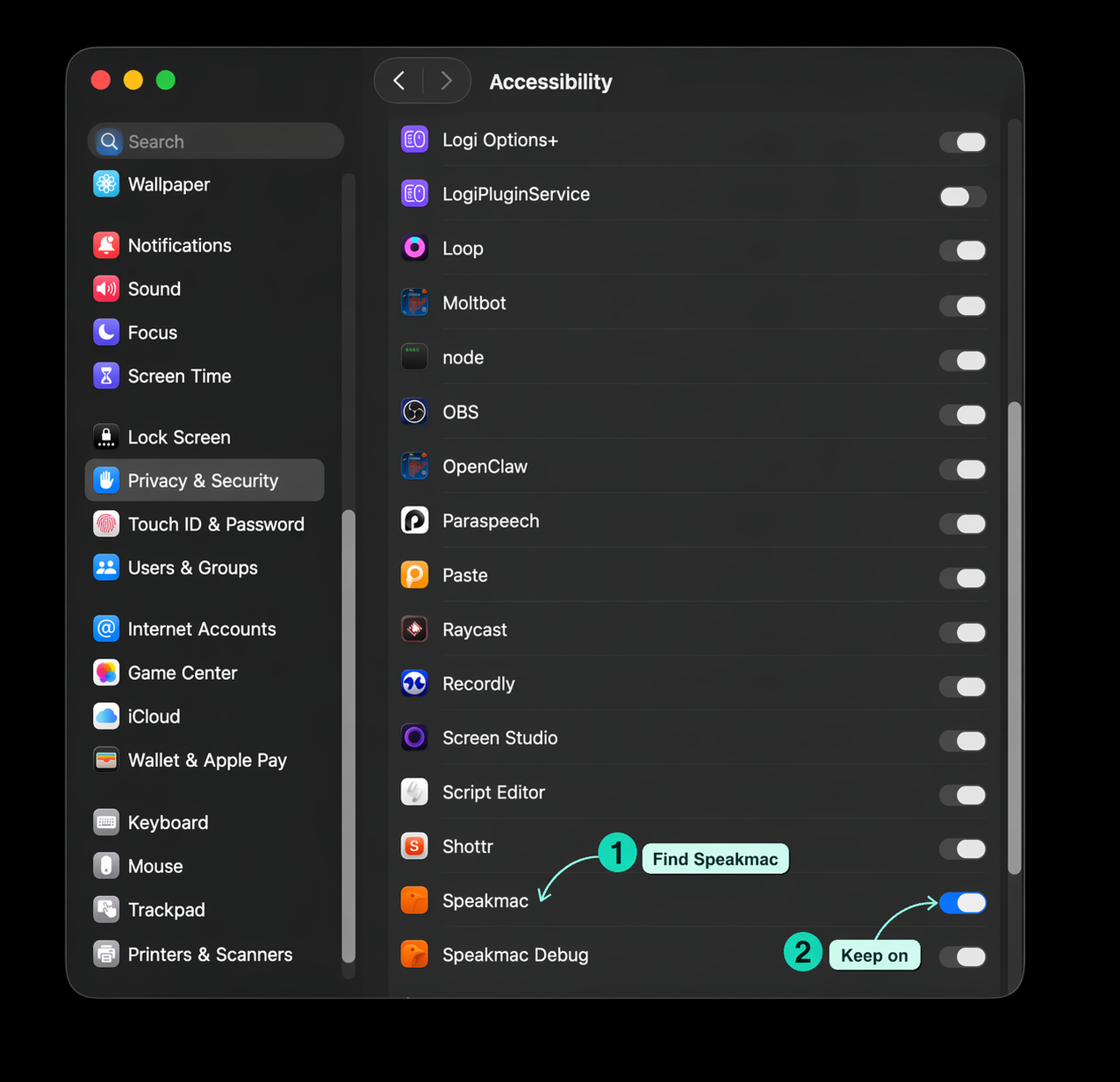
Then:
If permission is already on, toggle it off, quit the app, toggle it back on, and reopen the app. macOS permission state can get stale after updates.
When another app uses the same shortcut, dictation may start inconsistently or text may never appear where you expected.
Common conflicts:
If you use Speakmac, start with the Speakmac hotkey guide. Pick a shortcut that your writing app is not already using.
This saves time:
| If this happens | Check this |
|---|---|
| No words appear at all | microphone, language, Dictation setting |
| The app hears you but no text appears | Accessibility, selected text box, shortcut conflict |
| Text appears in one app but not another | the app or text field |
| Text appears with delay | app performance, long document, browser field |
The right fix depends on where the problem starts.