Live Preview
See your words as you speak. Text appears in real-time, sentence by sentence, in a floating window.
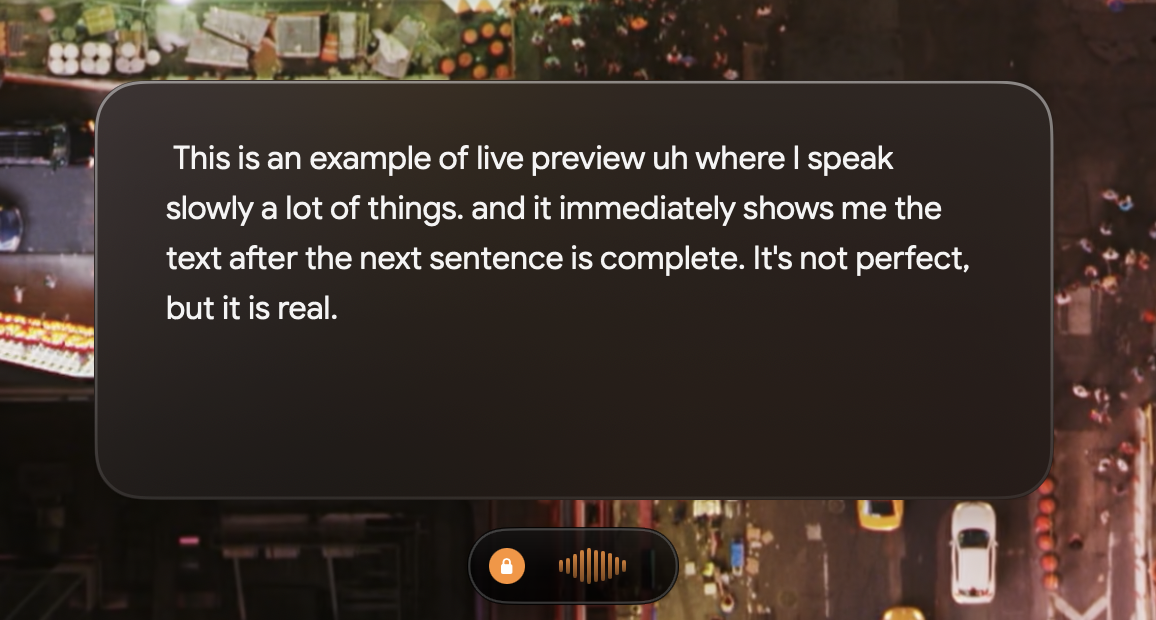
Live Preview in action — text appears as you speak
What Live Preview Does
When enabled, a floating window shows your transcribed text in real-time as you speak: Spoken-number conversion is applied to the final transcript rather than the live preview, so preview wording may differ from the text that is pasted.
- 1Text appears sentence by sentence as you talk
- 2See what's being transcribed before it's pasted
- 3Catch mistakes while still dictating
How to Enable
- 1Click the Speakmac icon in your menu bar
- 2Choose Dictation in the sidebar
- 3Toggle on Live Preview
Speakmac prepares the optional preview model if needed. If the download fails, choose Try again to open the app, retry, and see progress or error details. Live Preview is available for supported Macs and languages; the saved recording still produces the final transcript if preview is unavailable.
When Live Preview Helps
- •Long-form writing where you want to track your progress
- •Catching transcription errors before they're pasted
- •Learning how Speakmac interprets your speech patterns
- •Building confidence that your words are being captured
How It Works
Speakmac processes your speech locally and streams the results to the preview window. Text appears after each sentence is complete—you'll see a slight delay as the transcription engine processes your words. Everything still runs 100% on your Mac.
Need help? [email protected]
Ready to see your words in real-time?
Download Speakmac
Get the app and enable Live Preview to watch your transcription as it happens.
Requires macOS 14+. Supports Apple Silicon and Intel Macs.