Voice Dictation for Obsidian on Mac
By Kiran Jd
Published · Updated
By Kiran Jd
Published · Updated
Obsidian is one of the cleanest places to use voice dictation on Mac because the app already assumes a rough capture phase. Most people are not opening Obsidian to produce a perfect final document. They are trying to get the note down before it fades, then shape it later.
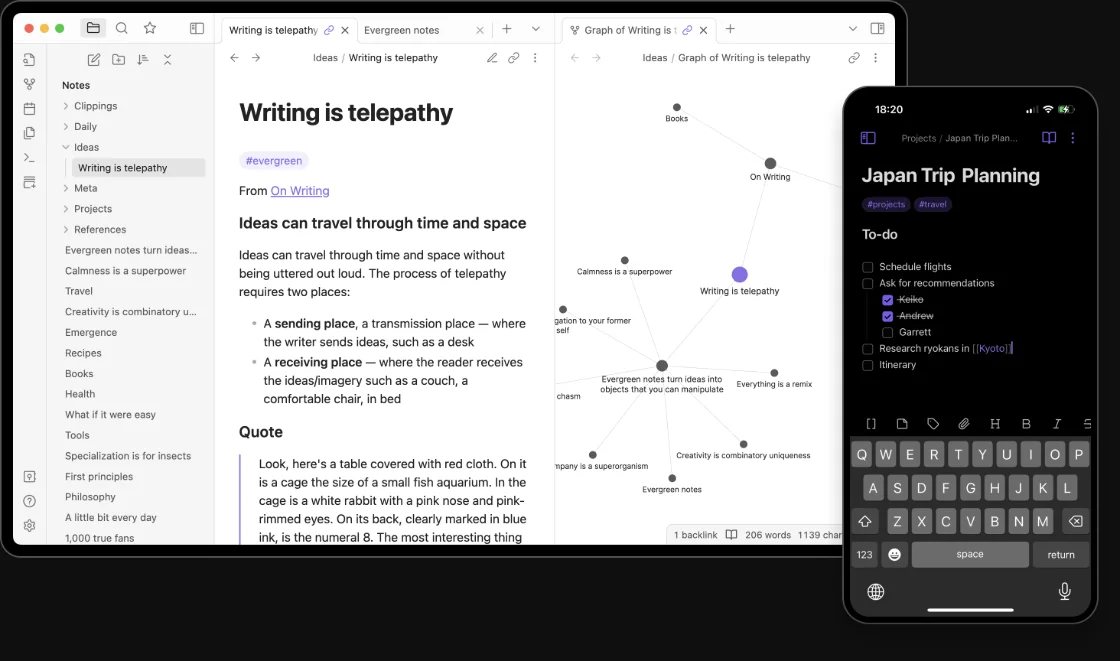
That makes voice dictation for Obsidian a much better fit than it first sounds. If you are searching for voice dictation in Obsidian, speech to text for Obsidian on Mac, or a practical way to dictate notes in Obsidian, the useful question is not whether you can speak into the app. It is which parts of an Obsidian workflow should stay spoken and which parts should stay typed.
The best Obsidian dictation jobs are the ones that start as a dump of raw thinking. Daily notes are an obvious one. You wake up with three things in your head, open today's note, and say them before the shape disappears. Fleeting notes work the same way. So do reading notes, post-meeting summaries, and rough article skeletons.
Obsidian also suits speech because the first useful version of a note is often plain prose. You do not need the tags, backlinks, and tidy structure in the first ten seconds. You need the thought on the page. Once that exists, the rest of the Obsidian system starts helping again.
This is why voice typing in Obsidian on Mac feels different from voice typing into a form field or a chat box. A note can be messy for a while. That gives dictation room to be useful.
The line shows up as soon as the note stops being plain language.
YAML frontmatter is still keyboard work. Wikilinks, embeds, block references, Dataview queries, plugin settings, and any little bit of Markdown syntax you actually care about are faster to type than to speak. The same goes for filenames, tags you need to standardize, and anything where one extra character breaks the structure.
That does not make Obsidian a bad dictation surface. It just means the right split is obvious. Speak the note. Type the system.
The version that tends to stick is simple. Open the note you actually want, trigger dictation, speak one chunk at a time, and do the organizing pass after.
That means you do not stop mid-thought to insert perfect links or tidy headings. You get the morning note down. You get the meeting dump down. You get the reading summary down. Then you clean the note once, add the links you care about, and move on.
This matters more in Obsidian than in most apps because the tool rewards a second pass. A rough paragraph can become a clean permanent note in another minute or two. The friction is lowest when voice handles the part that wants speed and the keyboard handles the part that wants structure.
Obsidian's own positioning has stayed local-first and private. That is part of the appeal. People choose it because their notes live on their machine, in plain files, with a workflow they control.
If that is why you use Obsidian, the dictation layer matters more. A cloud-first voice tool changes the trust model even if the note itself still lands in your vault. A local dictation flow keeps the tool aligned with the reason many people picked Obsidian in the first place.
Speakmac works well here because it does not try to become your note app. Click into the note you are already using, dictate the rough pass, then keep editing in Obsidian. That is the whole point.
The advantage is not a magical integration. It is that system-wide dictation matches how Obsidian already gets used on Mac. Notes start in one place, then spill into another note, an email, a draft, or a task list. A universal typing layer fits that better than a separate voice capture tool that asks you to paste everything back in.
If you want to dictate notes in Obsidian on Mac, the practical rule is simple. Use voice for daily notes, idea capture, research logs, and first-draft thinking. Use the keyboard for links, structure, and anything where Markdown syntax actually matters. That split keeps Obsidian dictation fast without turning cleanup into the whole job.