Multilingual dictation
Speak Spanish, French, German, Chinese, or another supported language and insert that same language as text.
Available as the current language-safe positioning.
Multilingual dictation
Live workflowDictate in supported languages and insert same-language text across your Mac. Speakmac is local-first voice typing for multilingual Mac workflows.
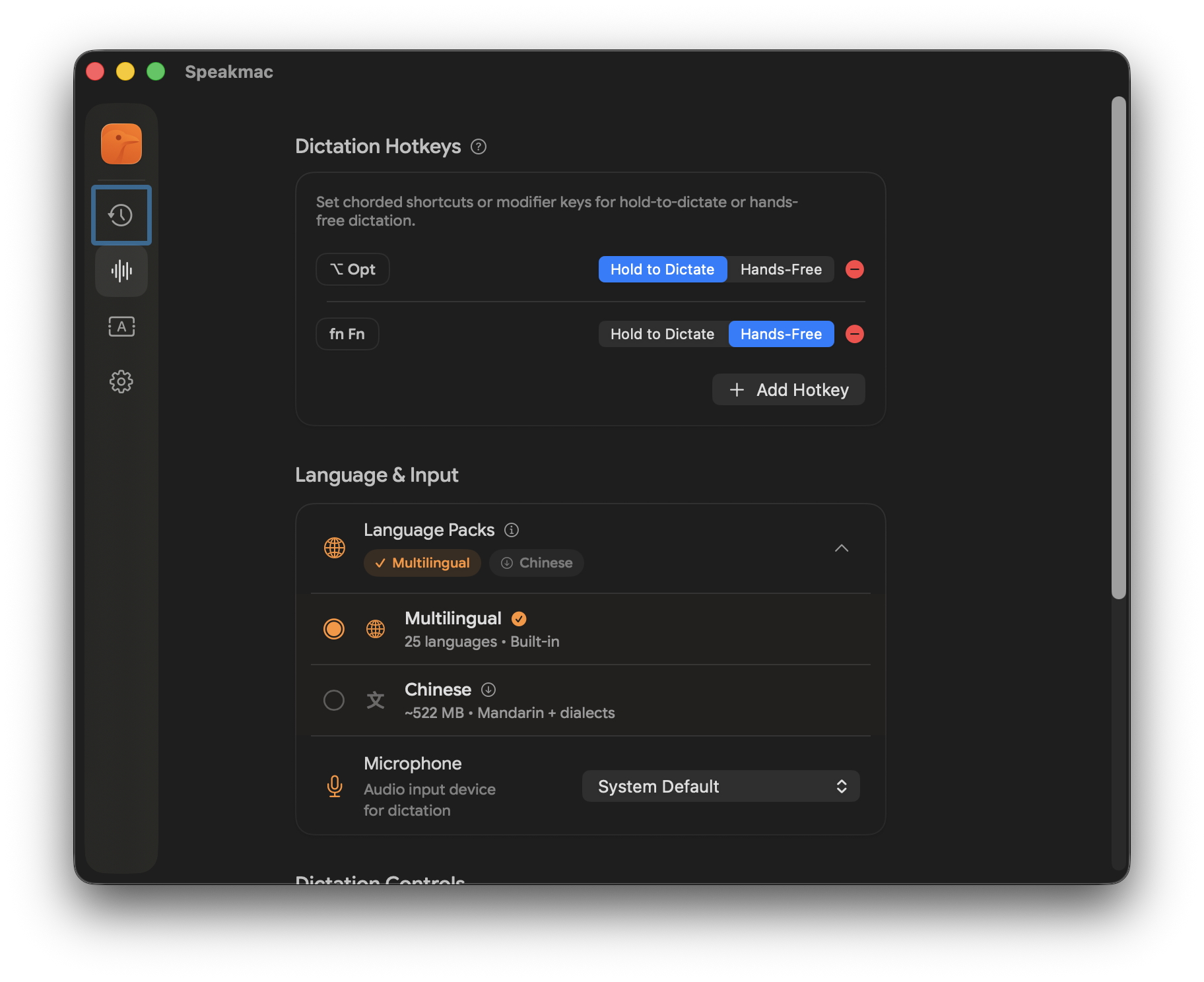
Speak Spanish, French, German, Chinese, or another supported language and insert that same language as text.
Available as the current language-safe positioning.
Speak one language and output a different language, such as Spanish speech to English text.
Separate workflow. Do not assume it is included in public dictation.
Use the same hotkey workflow in Mail, Notes, browsers, docs, AI tools, and other Mac text fields.
Core Speakmac behavior.
Use this when you want to think and write in the same language without switching to a browser voice-typing tool.
Speakmac is positioned around private, on-device dictation rather than a cloud-only writing assistant.
The value is not a language list alone. It is a fast hotkey, cursor insertion, and fewer app-specific voice typing dead ends.
FAQ
This page is about multilingual dictation, which means same-language output. Speech-to-text translation is a separate workflow and is covered on the translation beta page.
Speakmac currently positions its public Mac workflow around a multilingual pack for 25 European languages and a Chinese pack for Mandarin plus supported Chinese variants. Exact availability depends on app version and selected language pack.
Yes. Speakmac is built for system-wide Mac dictation, so the workflow is designed for text fields in apps such as Mail, Notes, browsers, docs, and AI tools. Individual app behavior can still vary.