Install Speakmac
Four steps. Under a minute.
1Download the app
Click the download button on our website. The file Speakmac-X.X.dmg will appear in your Downloads folder.
Requires macOS 14 (Sonoma) or later on an Apple Silicon or Intel Mac.
2Open the DMG file
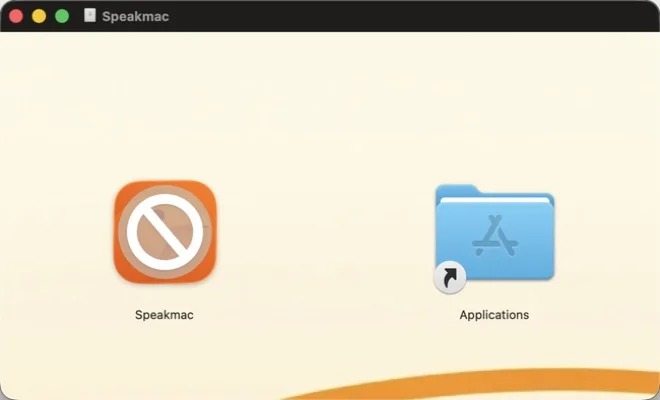
Double-click the downloaded Speakmac-X.X.dmg file. A window will open showing the Speakmac app and an Applications folder shortcut.
3Drag to Applications
Drag the Speakmac icon to the Applications folder. The arrow shows you where to drag.
4Launch and allow
Open Speakmac from your Applications folder or use Spotlight (⌘ + Space, type "Speakmac").
macOS may show a security dialog the first time. Click "Open" to confirm you trust the app.
Use this after moving Speakmac to Applications. It helps complete install attribution if macOS strips download metadata.
Troubleshooting
"Speakmac can't be opened because it's from an unidentified developer"
Go to System Settings → Privacy & Security, scroll down, and click "Open Anyway" next to the Speakmac message.
Can't find Speakmac after installing?
Speakmac is a menu bar app - it lives in your menu bar (top-right), not in the Dock. Look for the waveform icon.
Still having trouble?
Email [email protected] and we'll help you out.
Need help? [email protected]