Activate Your License
Three steps. Under a minute.
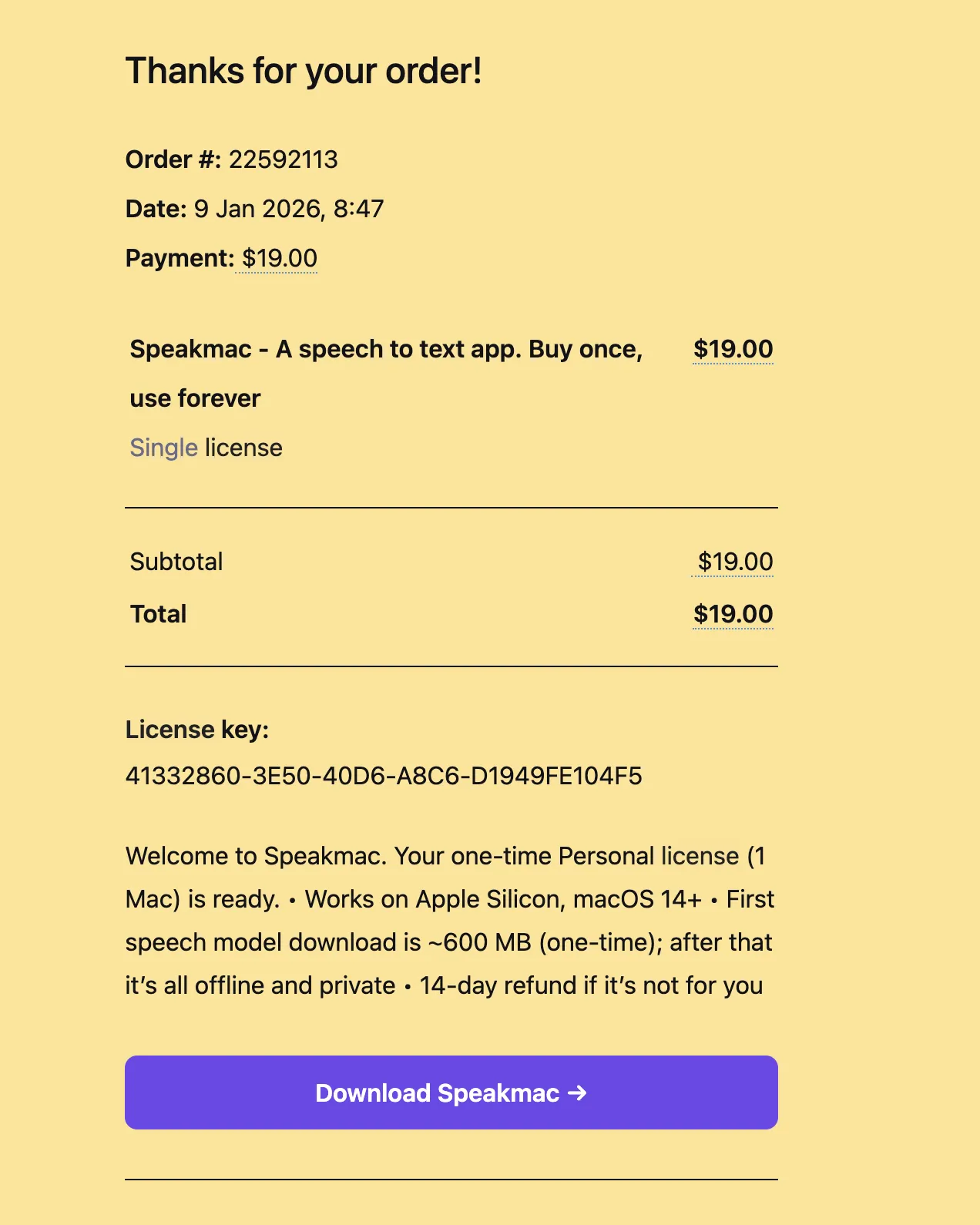
1Find your license key
Check your inbox for your Speakmac purchase email. It includes your license key and a one-click activation link.
Copy your license key from the email.
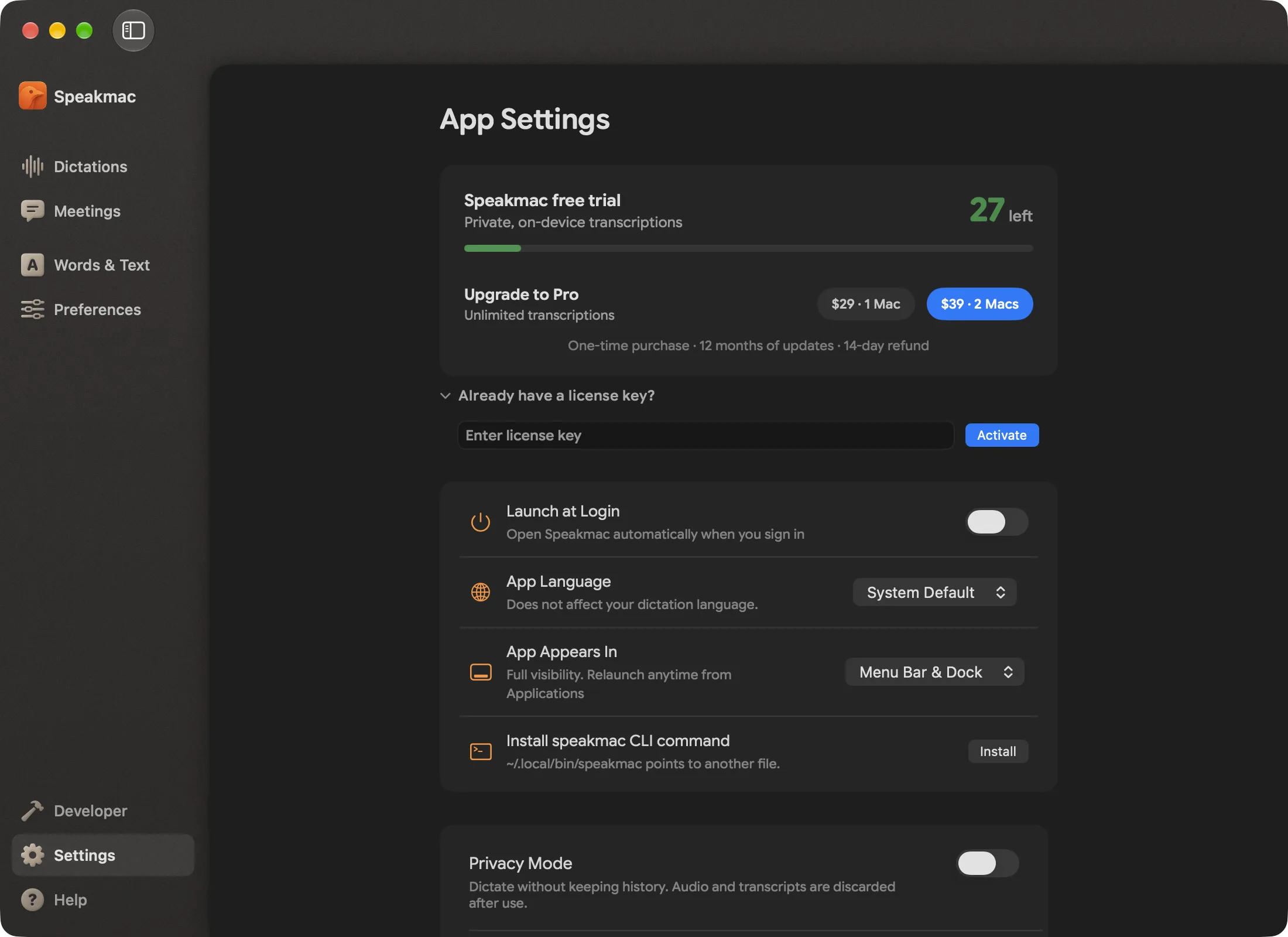
2Open Settings and paste the key
In Speakmac, click Settings at the bottom of the sidebar. Expand "Already have a license key?", paste your key, and click Activate.
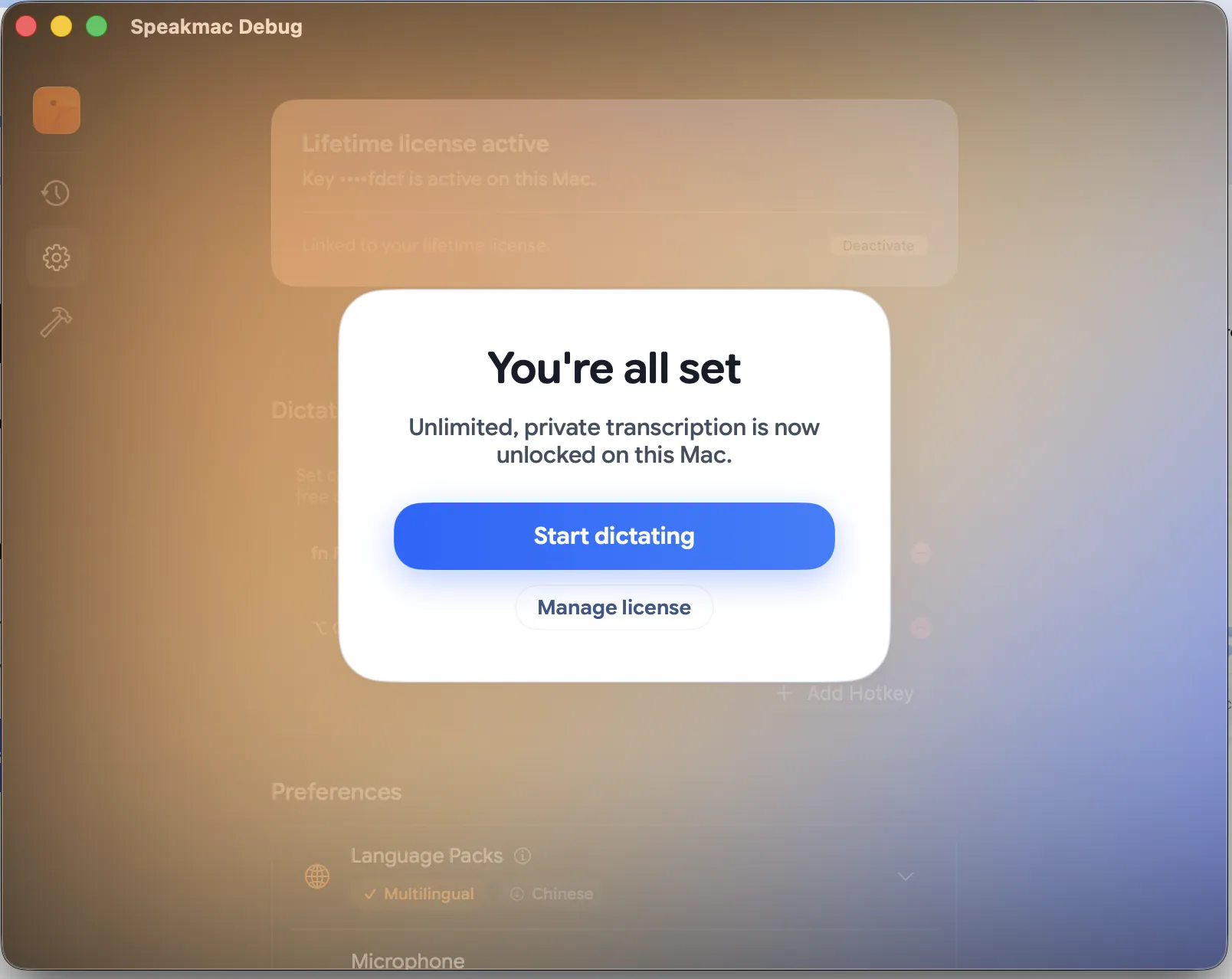
3You're in
You'll see "License activated" confirmation. That's it - unlimited transcriptions unlocked.
Troubleshooting
Can't find the email?
Check your spam folder or search for emails from [email protected].
Still stuck?
Email [email protected] with your order number and we'll sort it out.
Need help? [email protected]