Why Speakmac Is Not Just File Transcription (May 2026)
By Kiran Jd
Published · Updated
By Kiran Jd
Published · Updated
Speakmac gets compared to file transcription tools because both turn speech into text. That comparison is useful only up to a point.
Speakmac supports audio-file transcription too. You can drag audio files into the app, open audio files with Speakmac from Finder, and keep those imported transcripts in History. That matters, and the page should not pretend otherwise.
But the product is not only file transcription, and it was not designed around an upload queue as the main workflow.
The earliest version was closer to a file-style transcription loop. Record, stop, transcribe, paste. That sounds simple, but it had the wrong feel for daily writing.
File transcription starts with saved audio. Live dictation starts with a blinking cursor.
That one difference changes the entire product.
When you upload a meeting recording, a podcast clip, or an interview, the job is asynchronous. You can wait for the transcript. You can clean it up later. The source material already exists.
Live dictation is different. You are in Mail, Notes, Slack, Cursor, Notion, a browser form, or a support reply. You are writing now. If the tool pauses for too long, you lose the sentence you were forming.
That is why Speakmac could not be shaped only around transcription as a batch job. The product had to be judged by flow:
Those are not the same metrics as file transcription, even when the same app supports both.
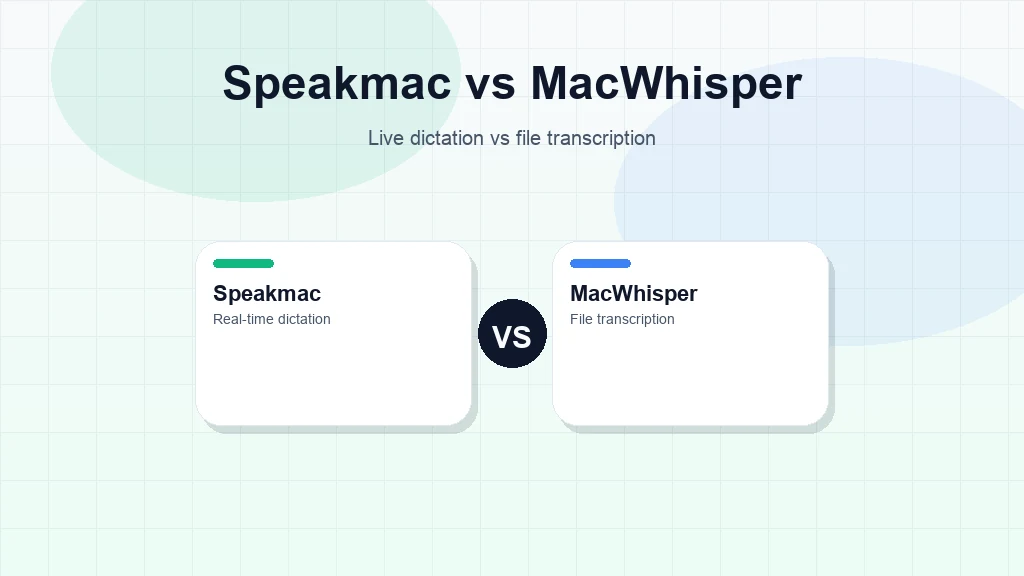
The first Speakmac experiments treated audio like a file to process. Record, stop, transcribe, paste.
That worked well enough to prove the idea. It did not prove the product.
The wrong lesson would have been: "Make the transcript quality as high as possible and everything else follows."
The real lesson was sharper: "Make the whole writing loop feel fast enough that the user keeps speaking instead of switching back to the keyboard."
Accuracy matters. But for live dictation, accuracy competes with latency, startup time, memory use, app focus, paste reliability, and whether the result arrives while the thought is still alive.
This is not an argument that file transcription tools are bad, or that Speakmac should not support imported audio.
If you have a short audio file and want it transcribed locally alongside your dictation history, Speakmac can do that. Audio-file import is useful for voice memos, saved snippets, and recordings you want to turn into text without leaving the app.
If your primary job is long-form file work with timestamps, speaker labels, export formats, batch processing, subtitles, or meeting/transcript management, a transcription-first tool like MacWhisper may still be the better fit.
Speakmac is centered on a different moment: when you are writing into the current app.
That is why the product does not center around a file queue. It does not ask you to manage imports before you can speak. It does not try to become your archive for every recording. The core action is still simple: place cursor, press hotkey, speak, get text.
Once Speakmac chose live dictation, many product choices became clearer.
The app needed a global hotkey, not a big upload screen.
It needed a menu bar presence, not a project library.
It needed fast local behavior, not a workflow that depends on a cloud queue.
It needed to work across the Mac, not only inside a single editor.
It needed to feel boring in the right way. A good dictation app should not make you think about the tool. It should make the sentence appear.
Speakmac is not trying to be a meeting recorder, podcast transcriber, legal deposition processor, or video subtitle tool.
It can be tempting to make those surfaces the whole product because they sit near speech-to-text. But nearby is not the same as same.
The product exists first for live writing:
Those jobs usually start as thoughts, not files.
That is why Speakmac is a dictation app first, with file transcription as a useful secondary path. The main source is your voice in the moment. The main destination is the text field already in front of you.
Use Speakmac file transcription when you have an audio file you want to process inside the same local Mac app you use for dictation.
Choose a transcription-first tool when your main job is managing lots of saved audio or video.
Choose Speakmac when you are staring at a cursor and the fastest path is to explain the sentence out loud.
That is the product line we keep coming back to. Speakmac can turn recordings into text, but its strongest job is turning current thoughts into text where you are already working.
Reviews
I'm not a native English speaker but I use English a lot for work. The accuracy genuinely surprised me. Even when I mumble, restart sentences, or talk fast, it keeps up really well. It's lightweight, thoughtfully built, and works great in German as well, even with Anglicisms.

As a former designer of iOS apps, I can tell you: it looks really great.

It's improved a lot! I tried it with background noise using AirPods, and it captures text correctly. Even when playing a cricket commentator video, it captured the audio perfectly.

You can tell this was crafted with care - the animations, the simplicity, and the way it fits into macOS like it's always been there. Planned to use it daily.
I tried both Siri and SpeakMac. I spoke very fast with low volume.Siri couldn't understand, but SpeakMac did. That was my 'wow' moment.

The accuracy is way better than I expected, and I love how seamlessly it integrates with Mac. I've been looking for something like this that doesn't feel clunky.

I didn't expect to use SpeakMac this much, but it's become my go-to for writing content ideas, captions, and quick drafts. It picks up my voice perfectly, even when I'm talking fast. It feels effortless - like my Mac finally understands how I work.
Dude i am lovin it. My productivity is really increased. Even a few times while speaking, if i mumble and re speak partial sentence, it understands that very well adjusts on its own.

I'm not a native English speaker but I use English a lot for work. The accuracy genuinely surprised me. Even when I mumble, restart sentences, or talk fast, it keeps up really well. It's lightweight, thoughtfully built, and works great in German as well, even with Anglicisms.
As a former designer of iOS apps, I can tell you: it looks really great.
It's improved a lot! I tried it with background noise using AirPods, and it captures text correctly. Even when playing a cricket commentator video, it captured the audio perfectly.
You can tell this was crafted with care - the animations, the simplicity, and the way it fits into macOS like it's always been there. Planned to use it daily.
I tried both Siri and SpeakMac. I spoke very fast with low volume.Siri couldn't understand, but SpeakMac did. That was my 'wow' moment.
The accuracy is way better than I expected, and I love how seamlessly it integrates with Mac. I've been looking for something like this that doesn't feel clunky.
I didn't expect to use SpeakMac this much, but it's become my go-to for writing content ideas, captions, and quick drafts. It picks up my voice perfectly, even when I'm talking fast. It feels effortless - like my Mac finally understands how I work.
Try the workflow
Download the app, dictate in the places you already write, and only unlock if the local workflow actually works for you.